Preparing taxes can involve collecting financial information, completing forms, checking calculations, and meeting important deadlines. Online tax tools can simplify many of these tasks by bringing tax preparation features into one platform. However, different programs offer different capabilities. Understanding the key features of an online tax software package can help individuals and businesses choose a solution that fits their tax preparation needs.
1. Easy-to-Use Interface
A clear and simple interface is one of the first things to consider when choosing tax software. Users should be able to navigate between sections, enter information, review details, and return to previous steps without confusion.
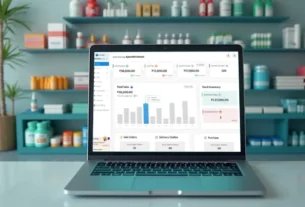
An organized dashboard can make the preparation process easier to follow. Helpful instructions and clearly labeled menus can also reduce mistakes caused by misunderstanding where information should be entered.
2. Accurate Tax Calculations
Tax calculations need to be handled carefully because small errors can affect the final return. Reliable software should automatically calculate totals and apply the relevant formulas based on the information provided by the user.
An online tax software package can reduce the need for manual calculations by performing many mathematical tasks automatically. Users should still review the information they enter and check the completed return before submission.
3. Support for Multiple Tax Forms
Tax situations can vary considerably between individuals, self-employed workers, and businesses. A useful software package should support the forms and schedules relevant to its intended users.
Before selecting a program, check which federal, state, or local tax forms are supported. This is especially important for users with income from multiple sources, investments, business activities, or other special circumstances.
4. Data Security
Tax returns contain sensitive financial and personal information, making security an important consideration. Look for software that uses appropriate security measures to protect user accounts and stored information.
Features such as secure login methods, encryption, account monitoring, and regular security updates can provide additional protection.
5. Helpful Guidance and Error Checks
Tax software can be easier to use when it provides explanations and prompts throughout the preparation process. Guidance can help users understand what information is required and where specific details should be entered.
Some programs also include error-checking features that identify missing information, inconsistent entries, or potential issues before a return is submitted.
6. Updates and Customer Support
Tax rules, forms, and filing requirements can change over time. Reliable software should be updated when necessary so users have access to current features and supported forms.
Customer support is another useful feature, particularly when users encounter technical problems or have questions about using the platform. An online tax software package with accessible help resources, tutorials, or support channels can make the preparation process more manageable.
Final Thoughts
Choosing tax software requires attention to usability, calculation accuracy, form support, security, guidance, updates, and customer service. A reliable online tax software package can simplify many routine tax preparation tasks while helping users organize their information more efficiently. Before choosing a program, review its features, supported tax forms, pricing, security practices, and support options to determine whether it matches your requirements.